

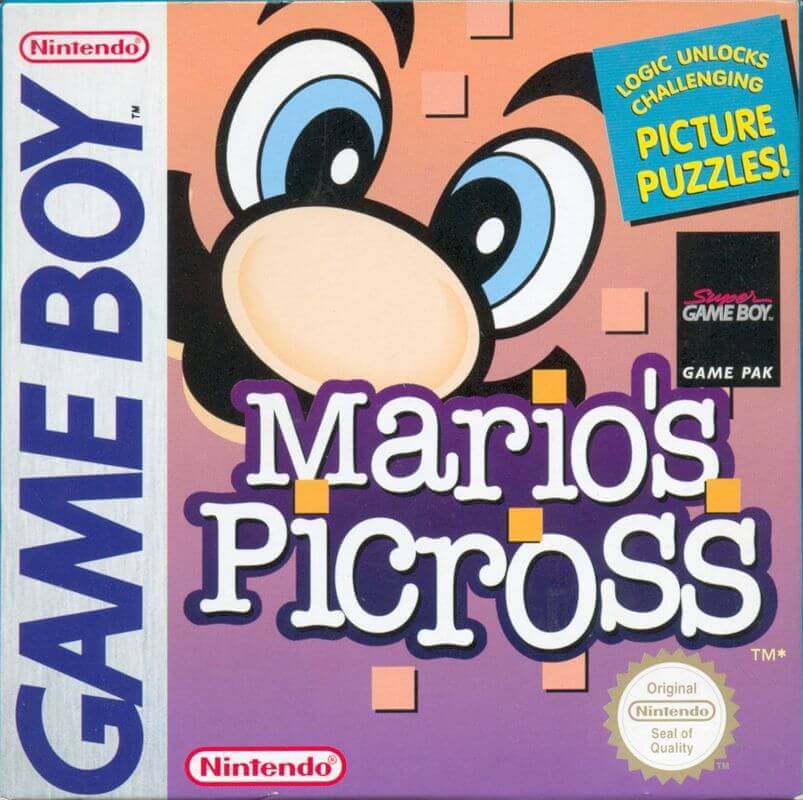
Mario's Picross features a total of 256 puzzles, separated into four modes — "Easy Picross", "Kinoko", "Star" and "Time Trial" with 64 in each.
In order to erase 1 of the 3 save files in the game you need to go to the Data Select screen. Now hold A & B (if A brings you to the next screen then continue holding it as you press/hold B to go back to the data select screen) and press select. You will see ''Erase ?'' appear, press A to erase that save file.
You can download the Mario's Picross rom from this page and to play the game you need to download the Visualboy Advance Emulator here.
Download the official Mario’s Picross ROM in the (USA and European) version for the Game Boy Advance handheld consoles. To fully utilize a GB ROM game, use our Cheats, Rom Hacks and GBA Roms sections. You can open the Mario’s Picross ROM or GB file by Installing VisualBoyAdvance on Windows, MAC, Linux, Android or IOS/iphone.
Also, be sure to check out Dr. Mario.
Mario’s Picross is a 1995 puzzle video game for the Game Boy. Developed by Jupiter and Ape and published by Nintendo, it is a compilation of nonogram logic puzzles. The game stars Mario who chisels away at puzzle grids to form pictures. The game initially received positive reviews, with reviewers citing its length and addictive nature as a positive, but its grid sizes and absence of typical Mario elements as a negative.
In Mario’s Picross, the player is presented with a puzzle grid (either 5 by 5, 10 by 10 or 15 by 15 spaces in size, depending on the difficulty chosen) that they must chisel at in accordance with the numerical hints provided on the upper and left-hand edges of the grid in order to reveal a picture. In addition to the ability to chisel spaces, the player is also able to mark spaces with a cross to signify that the space is not meant to be chiseled.
The numbers present outside the grid tell the player how many spaces should be chiseled within the row or column it is next to; if a single number is present on the row or column, there is that number of required chiseled spaces within said row or column, while if more than one number is present on the row or column, there are those numbers of required chiseled spaces, but separated by an undetermined amount of blank spaces. The player must use these numerical hints to fill in the grid both vertically and horizontally.
Similar to a crossword, when a row or column is filled in, it is able to give hints as to the nature of the rows or columns it intercepts. The player is given thirty minutes to complete each puzzle. If the player incorrectly chisels a space, some of the remaining time is deducted; upon the player’s first error, two minutes are deducted; upon the second, four minutes; upon the third, eight minutes. Mistakes succeeding the third continue deducting eight minutes.
If the player runs out of time, Mario falls over, and the game is over. If the player finishes the puzzle, Mario makes a thumbs-up motion, and the final picture is shown, with a subtitle detailing what it is. Additionally, a “With Hint” option is available at the beginning of the puzzle. Choosing this will start a roulette with the numbers labelling the columns and rows. The player is able to semi-actively choose a row and a column to be pre-filled in. After a puzzle is complete, its time of completion is shown on the menu, as well as whether the player used the With Hint option.
File Name | Mario's Picross |
File Size | 71.3KB |
Version | 1.0 |
Release Date | Japan: March 14, 1995 |
Genre | Puzzle |
Developer | Jupiter |
Platform | Game Boy |
Region | USA, Europe |
Download | |
Rate ROM | [Total: 5 Average: 4.2] |