Pokemon Emerald - Battle Frontier ROM

Pokemon Emerald - Battle Frontier rom
When focusing on the main objectives, Pokemon Emerald - Battle Frontier is about 25 Hours in length. If you're a gamer that strives to see all aspects of the game, you are likely to spend around 45 Hours to obtain 100% completion.
 
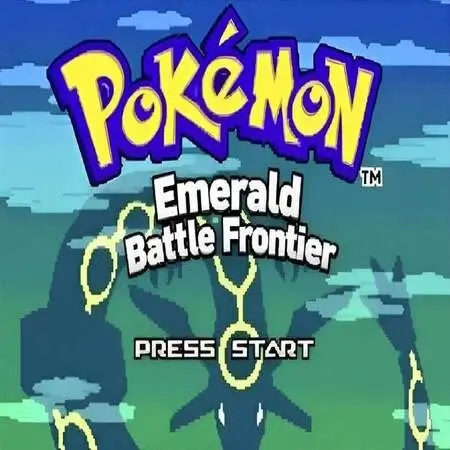
Pokemon Emerald - Battle Frontier is a Pokemon GBA ROM hack by MushyPickles based on Pokemon Emerald in English. Start your Pokémon journey at the Battle Frontier. Build your team with the in-game Pokémon Lab Editor. Choose from a new "Hard" challenge mode and pursue all seven Frontier Symbols.

You can download the Pokemon Emerald - Battle Frontier rom from this page and to play the game you need to download the Visualboy Advance Emulator here.

You need to download and install Visual Boy Advance and then load the rom.

For detailed instructions per device, view below.

Download the official Pokemon Emerald – Battle Frontier ROM in the (USA) version for the Game Boy Advance handheld consoles. To fully utilize a GBA ROM game, use our Cheats, Rom Hacks and GBA Roms sections. You can open the Pokemon Emerald – Battle Frontier ROM or GBA file by Installing VisualBoyAdvance on Windows, MAC, Linux, Android or IOS/iphone.

Additional Information

Pokemon Emerald – Battle Frontier is a Pokemon GBA ROM hack by MushyPickles based on Pokemon Emerald in English. It was last updated on August 17, 2026.

Also, be sure to check out Pokemon Emerald XTREME.

Description

Start your Pokémon journey at the Battle Frontier. Build your team with the in-game Pokémon Lab Editor. Choose from a new “Hard” challenge mode and pursue all seven Frontier Symbols.

Features

Battle Frontier from the beginning


  • New games skip Emerald’s main-story progression and begin with a short route to the Battle Frontier.
  • The opening includes the required Frontier access, all eight badges, the PokéNav, Frontier Pass, running shoes, and a registered Mach Bike.
  • A guided introduction demonstrates the PokéNav and Pokémon Lab before play begins in earnest.
  • The introduction can be skipped and safely unwinds nested menus before returning control to the player.
  • Opening, naming-screen, ferry, and first-battle transitions have been adjusted for the shortened route.
  • The starter-selection prompt has been rewritten for the Frontier-focused opening.

Pokémon Lab


  • Create a new Pokémon directly in an empty party slot or edit an existing party member.
  • Choose the species through a reusable National Pokédex selection and search interface.
  • Set level, nature, ability slot, held item, IVs, EVs, and moves.
  • Preview calculated stats while editing IVs and EVs.
  • Apply maximum-IV, zero-Speed-IV, cleared-EV, and 252/252/4 EV presets.
  • Adjust stats quickly with accelerated directional input.
  • Choose moves through a searchable interface.
  • Restrict move choices to the selected species’ legal Generation III level-up, TM/HM, tutor, egg, and pre-evolution move pools.
  • Validate a build before saving it to the party.
  • Generate species-appropriate gender and preserve the selected ability slot.
  • Open the Pokémon Lab from the party menu or PokéNav.

Team management and interface


  • Open both the Pokémon Lab and Pokémon Storage System from the PokéNav.
  • Press L in the overworld to open the PokéNav once it is available.
  • Show nature-raised and nature-lowered stats with distinct colors on the Pokémon Summary screen.
  • Choose avatar appearance independently from the player character’s gender.
  • Present May first in avatar selection and in the title introduction.

Normal and Hard Frontier challenges


  • Choose Normal or Hard difficulty when entering any of the seven facilities: Battle Tower, Battle Factory, Battle Dome, Battle Arena, Battle Palace, Battle Pike, and Battle Pyramid.
  • Use the strongest Frontier trainer pools from the beginning of Hard challenges.
  • Encounter Frontier Brains earlier in Hard mode.
  • Give Battle Factory rentals the intended Hard-mode IVs.
  • Keep active challenges, streaks, records, and relevant facility progression isolated between Normal and Hard modes.
  • View Normal and Hard results separately from each facility’s record computer.
  • Preserve the facilities’ Level 50 and Open Level choices and their supported battle formats.

Useful Links

Pokecommunity

Github

File Name

Pokemon Emerald - Battle Frontier

File Size

6.66MB

Version

1.0

Release Date

World: August 17, 2026

Genre

RPG

Developer

Platform

Game Boy Advance

Region

World

Download

Rate ROM

[Total: 0 Average: 0]