
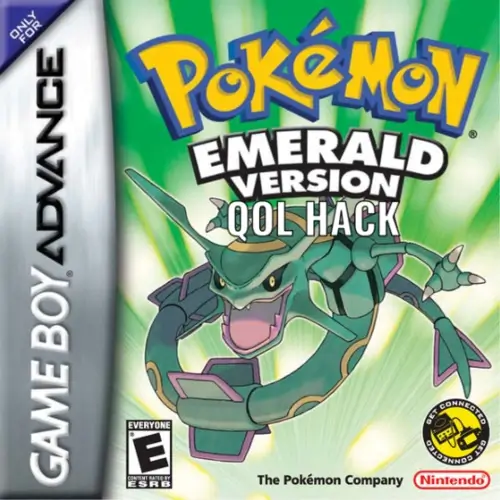
You can download the Pokemon Emerald QOL Hack rom from this page and to play the game you need to download the Visualboy Advance Emulator here.
Download the official Pokemon Emerald QOL Hack ROM in the (USA) version for the Game Boy Advance handheld consoles. To fully utilize a GBA ROM game, use our Cheats, Rom Hacks and GBA Roms sections. You can open the Pokemon Emerald QOL Hack ROM or GBA file by Installing VisualBoyAdvance on Windows, MAC, Linux, Android or IOS/iphone.
Pokemon Emerald QOL Hack is a Pokemon GBA ROM hack by SleepyZed based on Pokemon Emerald in English. It was last updated on August 31, 2026.
Also, be sure to check out Pokemon Emerald – Battle Frontier.
I’ve spent the last few weeks working on a modern quality-of-life hack for Pokémon Emerald. I know there are already a lot of Emerald ROM hacks out there that tackle this idea, but most of them add a ton of extra stuff or change the game quite a lot. I mostly just wanted a version of Emerald that still feels like the original game, but without some of the older mechanics and annoyances.
The main reason I started this project was honestly just because I wanted full control over what gets changed and what doesn’t. Instead of playing someone else’s overhaul and wishing certain features were different, I figured I’d just build my own version with the exact QoL improvements I personally wanted while keeping everything else as close to vanilla Emerald as possible.
The goal of the hack isn’t to redesign Emerald or turn it into a difficulty hack. It’s basically just Emerald, but smoother and more convenient to play. Things that slow the game down or feel outdated have been improved, while the core game, story, progression, and overall feel are still the same as the original.
The Options menu now has a fourth text-speed setting: INSTANT, alongside Slow, Mid, and Fast.
Instant mode draws the current page of dialogue immediately. It still stops correctly at page breaks, button prompts, pauses, sound waits, and scrolling commands, so dialogue does not advance without player input.
The Options menu contains a BATTLE SPEED setting with 1x, 2x, 5x, and 10x choices.
The multiplier accelerates battle logic, text, HP-bar movement, Pokémon movement, status/ability animations, and other battle presentation. Music playback is not accelerated. One physical button press is not duplicated across the extra logic ticks. Link and recorded battles remain locked to 1x to preserve synchronization.
Some move animations that depend on scanline DMA or complex animated backgrounds may run more conservatively than the selected multiplier. This is intentional: fully advancing those tasks multiple times per rendered frame caused visual artifacts at 5x and crashes at 10x.
Running is allowed on indoor maps. Metatile-specific restrictions still apply, so terrain that is intrinsically unsuitable for running remains blocked.
While actively riding either bicycle, hold the left shoulder button (L) for 30 frames (approximately half a second) to switch between Mach Bike and Acro Bike behavior.
The Exp. Share retains its original held-item behavior when it is given to a Pokémon.
Using the Exp. Share directly from the Bag instead opens a mode menu:
Pokémon that participated in battle continue to receive their normal participant experience rather than having it reduced by the selected percentage. Empty party slots, Eggs, and fainted Pokémon do not receive the party-wide award.
The party-wide mode is active only while an Exp. Share exists in the Bag. Giving the item to a Pokémon removes it from the Bag and therefore uses vanilla held-item behavior instead.
TMs are no longer consumed when used. The Bag accepts only one copy of each TM; attempts to obtain or purchase a duplicate fail through the normal Bag-full/already-owned purchase path.
Shop lists display both the TM number and its move name to make TM purchases easier to identify.
HM moves are no longer protected from replacement. They may be overwritten through level-up learning, evolution learning, TM/HM teaching, and other ordinary move-replacement flows.
The PC’s release safeguards still protect against releasing the last available Pokémon with certain field moves when doing so could strand or softlock the player.
When a Repel, Super Repel, or Max Repel expires, the game remembers which type was used.
The feature does not automatically substitute a different Repel type.
Poké Ball-pocket items now have an out-of-battle USE command.
The operation is rejected without consuming an item if the Pokémon is already stored in that Ball type. This changes the Pokémon’s recorded Ball only; it does not recalculate its personality, stats, ownership, or encounter data.
Selecting a Pokémon from the field Party menu now includes a STATS action. It opens a dedicated editor containing the Pokémon’s nickname, party icon, all six IVs, all six EVs, and the current total EV count.
Controls:
Each IV is limited to 0–31; each EV is limited to 0–255, matching Generation III storage; and combined EVs are limited to 510. Only the edited values are redrawn during adjustment, avoiding full-screen flashes. The active row is marked with a thin blue outline.
Compatibility note: directly editing Generation III IVs can make external legality tools such as PKHeX report an invalid PID/IV correlation for Pokémon whose encounter method expects correlated values. The editor intentionally preserves the Pokémon’s existing PID instead of generating a new personality value, because changing the PID could also alter nature, gender, Ability slot, shininess, and other identity properties.
A new EVO STONE occupies previously unused item ID 226. It costs ₽5,000 and is sold by the right-hand clerk on Lilycove Department Store 2F.
Using it from the Bag opens the party screen and triggers applicable trade evolutions, including ordinary trade evolutions and trade-while-holding-item evolutions.
Clamperl is intentionally excluded from the generic Evo Stone because it has two possible trade-item branches.
The existing Deep Sea Tooth and Deep Sea Scale can now be used directly from the Bag:
Their original held-item battle effects remain intact when they are given to a Pokémon instead.
Version-exclusive and otherwise missing Hoenn-native species were inserted into lore-friendly vanilla locations. Existing encounter slots were reused rather than adding a separate encounter system.
Notable additions include:
Each Hoenn starter is available early at approximately a 5% land-encounter rate:
| Pokémon | Location | Level |
|---|---|---|
| Mudkip | Route 102 | 3 |
| Treecko | Petalburg Woods | 6 |
| Torchic | Route 112 | 16 |
These use the standard 5% land slot and can be encountered repeatedly like ordinary wild Pokémon.
After becoming Champion and receiving the National Pokédex speech, Professor Birch gives the player the Eon Ticket and Aurora Ticket. The corresponding Southern Island and Birth Island ship-access flags are enabled, and the tickets can be used through Lilycove Harbor.
Birch also checks for missing tickets when spoken to later in the postgame. If the Bag was full during the original sequence, the player can make room and speak to him again. Tickets already owned are not duplicated.
Before the Pokémon League is cleared, Mossdeep City’s White Rock retains its original response.
After becoming Champion, interacting with the rock displays a wishing-star message and starts a level 50 Jirachi legendary battle. The encounter is consumed when the battle finishes, including if the player runs away, and cannot be initiated a second time. The rock displays new dormant text afterward.
The PC’s existing multi-selection workflow now pauses before picking up a selected rectangle and displays MOVE and RELEASE.
Choosing Move continues the original multi-move behavior. Choosing Release displays a Yes/No confirmation and releases every Pokémon inside the selected rectangle. Empty cells are ignored.
The entire batch is validated before any data is deleted. No partial release occurs. The operation is rejected if:
The 8-bit multi-selection overlay is suspended while normal 4-bit menus and confirmation windows are displayed, preventing palette/tile corruption. Cancelling the menu or confirmation reconstructs the original selection.
The following persistent values use formerly unused save fields or flags:
New games initialize Exp. Share mode to off and battle speed to 1x. Existing saves rely on validation/clamping where applicable, but keeping a backup of important saves is recommended when moving between substantially different ROM builds.