
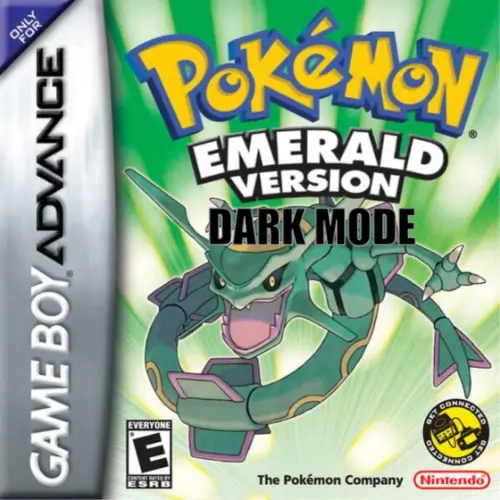
Pokemon Emerald - Dark Mode ROM

Pokemon Emerald - Dark Mode rom
When focusing on the main objectives, Pokemon Emerald - Dark Mode is about 25 Hours in length. If you're a gamer that strives to see all aspects of the game, you are likely to spend around 45 Hours to obtain 100% completion.
 
Pokemon Emerald - Dark Mode is a Pokemon GBA Rom Hack by DanceKevinDance based on Pokemon Emerald in English. Pokemon Emerald - Dark Mode is a fork of pret's pokeemerald decomp to add a dark mode style UI to the game.
 
The reason I make these is to make it playable for myself, a person with a severe visual disability, but the hope is that others, either like me or who just prefer darker UIs, can also get some use and enjoyment out of it. 

You can download the Pokemon Emerald - Dark Mode rom from this page and to play the game you need to download the Visualboy Advance Emulator here.

You need to download and install Visual Boy Advance and then load the rom.

For detailed instructions per device, view below.

Download the official Pokemon Emerald – Dark Mode ROM in the (USA) version for the Game Boy Advance handheld consoles. To fully utilize a GBA ROM game, use our Cheats, Rom Hacks and GBA Roms sections. You can open the Pokemon Emerald – Dark Mode ROM or GBA file by Installing VisualBoyAdvance on Windows, MAC, Linux, Android or IOS/iphone.

Additional Information

Pokemon Emerald – Dark Mode is a Pokemon GBA Rom Hack by DanceKevinDance based on Pokemon Emerald in English. It was last updated on May 29, 2026.

Also, be sure to check out Pokemon Battle Theater.

Description

Pokemon Emerald – Dark Mode is a fork of pret’s pokeemerald decomp to add a dark mode style UI to the game. The reason I make these is to make it playable for myself, a person with a severe visual disability, but the hope is that others, either like me or who just prefer darker UIs, can also get some use and enjoyment out of it.

As such, this is an accessibility-first hack, not one with peak aesthetics in mind. I’m neither a designer nor a programmer. My goal was to get a dark mode without having to spend hours perfecting every little menu element color. I think it looks decent, but not perfect. By all means, if you’re interested in making it look better, fork it or suggest changes.

Reworked Menus

  • Battle UI
  • Bag Options Menu
  • Dialog/selection Boxes
  • Pokedex
  • PokeNav
  • Party Screen
  • Shop
  • PC
  • Summary Screen
  • Most other smaller menus I found, probably some I can’t think of.

Known Bugs

  • On the starter selection screen, the box that shows the Pokémon’s name is messed up. This is unavailable as it shares a palette entry with text that is used literally everything else in the game, so it was a lesser of two evils
  • In the Pokedex, when you select a Pokémon and scroll over to the ‘size compared to you’ screen, that no longer really works Like above, it was that or mess up text elsewhere.
  • Some screens are not going to look nearly as pretty as vanilla. I’m sorry, but I would rather get a useable game up and be able to spend that time applying this to other hacks rather than trying to trace every simple palette index to change colors of every little section. Again, I’m not a designer by any means. I just want to be able to play the game.

Useful Links

Reddit

Github

File Name

Pokemon Emerald - Dark Mode

File Size

6.65MB

Version

1.1

Release Date

World: May 29, 2026

Genre

RPG

Developer

Platform

Game Boy Advance

Region

World

Download

Rate ROM

[Total: 0 Average: 0]